







-
 Agriculture
-
 Health-Care
-
 Environment
-
 Construction-Real-Estate
-
 Tools-Hardware
-
 Home-Garden
-
 Furniture
-
 Luggage-Bags-Cases
-
 Medical-devices-Supplies
-
 Gifts-Crafts
-
 Sports-Entertainment
-
 Food-Beverage
-
 Vehicles-Transportation
-
 Power-Transmission
-
 Material-Handling
-
 Renewable-Energy
-
 Safety
-
 Testing-Instrument-Equipment
-
 Construction-Building-Machinery
-
 Pet-Supplies
-
 Personal-Care-Household-Cleaning
-
 Vehicle-Accessories-Electronics-Tools
-
 School-Office-Supplies
-
 Packaging-Printing
-
 Mother-Kids-Toys
-
 Business-Services
-
 Commercial-Equipment-Machinery
-
 Apparel-Accessories
-
 Security
-
 Shoes-Accessories
-
 Vehicle-Parts-Accessories
-
 Jewelry-Eyewear-Watches-Accessories
-
 Lights-Lighting
-
 Fabric-Textile-Raw-Material
-
 Fabrication-Services
-
 Industrial-Machinery
-
 Consumer-Electronics
-
 Electrical-Equipment-Supplies
-
 Electronic-Components-Accessories-Telecommunications
-
 Home-Appliances
-
 Beauty
-
 Chemicals
-
 Rubber-Plastics
-
 Metals-Alloys





























































































































































































- Masonry Materials
- Curtain Walls & Accessories
- Earthwork Products
- Fireproofing Materials
- Heat Insulation Materials
- Plastic Building Materials
- Building Boards
- Soundproofing Materials
- Timber
- Waterproofing Materials
- Balustrades & Handrails
- Bathroom & Kitchen
- Flooring & Accessories
- Tiles & Accessories
- Door, Window & Accessories
- Fireplaces & Stoves
- Floor Heating Systems & Parts
- Stairs & Stair Parts
- Ceilings
- Elevators & Escalators
- Stone
- Countertops, Vanity Tops & Table Tops
- Mosaics
- Metal Building Materials
- Multifunctional Materials
- Ladders & Scaffoldings
- Mouldings
- Corner Guards
- Decorative Films
- Formwork
- Building & Industrial Glass
- Other Construction & Real Estate
- Wallpapers/Wall panels
- HVAC System & Parts
- Outdoor Facilities
- Prefabricated Buildings
- Festive & Party Supplies
- Bathroom Products
- Household Sundries
- Rain Gear
- Garden Supplies
- Household Cleaning Tools & Accessories
- Lighters & Smoking Accessories
- Home Storage & Organization
- Household Scales
- Smart Home Improvement
- Home Textiles
- Kitchenware
- Drinkware & Accessories
- Dinnerware, Coffee & Wine
- Home Decor
- Golf
- Fitness & Body Building
- Amusement Park Facilities
- Billiards, Board Game,Coin Operated Games
- Musical Instruments
- Outdoor Affordable Luxury Sports
- Camping & Hiking
- Fishing
- Sports Safety&Rehabilitation
- Ball Sports Equipments
- Water Sports
- Winter Sports
- Luxury Travel Equipments
- Sports Shoes, Bags & Accessories
- Cycling
- Other Sports & Entertainment Products
- Artificial Grass&Sports Flooring&Sports Court Equipment
- Scooters
- Food Ingredients
- Honey & Honey Products
- Snacks
- Nuts & Kernels
- Seafood
- Plant & Animal Oil
- Beverages
- Fruit & Vegetable Products
- Frog & Escargot
- Bean Products
- Egg Products
- Dairy Products
- Seasonings & Condiments
- Canned Food
- Instant Food
- Baked Goods
- Other Food & Beverage
- Meat & Poultry
- Confectionery
- Grain Products
- Feminie Care
- Hair Care & Styling
- Body Care
- Hands & Feet Care
- Hygiene Products
- Men's Grooming
- Laundry Cleaning Supplies
- Travel Size & Gift Sets
- Room Deodorizers
- Other Personal Care Products
- Pest Control Products
- Special Household Cleaning
- Floor Cleaning
- Kitchen & Bathroom Cleaning
- Oral Care
- Bath Supplies
- Yellow Pages
- Correction Supplies
- Office Binding Supplies
- Office Cutting Supplies
- Board Erasers
- Office Adhesives & Tapes
- Education Supplies
- Pencil Cases & Bags
- Notebooks & Writing Pads
- File Folder Accessories
- Calendars
- Writing Accessories
- Commercial Office Supplies
- Pencil Sharpeners
- Pens
- Letter Pad/Paper
- Paper Envelopes
- Desk Organizers
- Pencils
- Markers & Highlighters
- Filing Products
- Art Supplies
- Easels
- Badge Holder & Accessories
- Office Paper
- Printer Supplies
- Book Covers
- Other Office & School Supplies
- Stationery Set
- Boards
- Clipboards
- Stamps
- Drafting Supplies
- Stencils
- Electronic Dictionary
- Books
- Map
- Magazines
- Calculators
- Baby & Toddler Toys
- Educational Toys
- Classic Toys
- Dress Up & Pretend Play
- Toy Vehicle
- Stuffed Animals & Plush Toys
- Outdoor Toys & Structures
- Balloons & Accessories
- Baby Food
- Children's Clothing
- Baby Supplies & Products
- Maternity Clothes
- Kids Shoes
- Baby Care
- Novelty & Gag Toys
- Dolls & Accessories
- Puzzle & Games
- Blocks & Model Building Toys
- Toddler Clothing
- Baby Clothing
- Kids' Luggage & Bags
- Arts, Crafts & DIY Toys
- Action & Toy Figures
- Baby Appliances
- Hobbies & Models
- Remote Control Toys
- Promotional Toys
- Pregnancy & Maternity
- Hygiene Products
- Kid's Textile&Bedding
- Novelty & Special Use
- Toy Weapons
- Baby Gifts
- Baby Storage & Organization
- Auto Drive Systems
- ATV/UTV Parts & Accessories
- Marine Parts & Accessories
- Other Auto Parts
- Trailer Parts & Accessories
- Auto Transmission Systems
- Train Parts & Accessories
- Universal Parts
- Railway Parts & Accessories
- Auto Brake Systems
- Aviation Parts & Accessories
- Truck Parts & Accessories
- Auto Suspension Systems
- Auto Lighting Systems
- New Energy Vehicle Parts & Accessories
- Auto Steering Systems
- Wheels, Tires & Accessories
- Bus Parts & Accessories
- Auto Performance Parts
- Cooling System
- Go-Kart & Kart Racer Parts & Accessories
- Air Conditioning Systems
- Heavy Duty Vehicle Parts & Accessories
- Auto Electrical Systems
- Auto Body Systems
- Auto Engine Systems
- Container Parts & Accessories
- Motorcycle Parts & Accessories
- Refrigeration & Heat Exchange Equipment
- Machine Tool Equipment
- Food & Beverage Machinery
- Agricultural Machinery & Equipment
- Apparel & Textile Machinery
- Chemical Machinery
- Packaging Machines
- Paper Production Machinery
- Plastic & Rubber Processing Machinery
- Industrial Robots
- Electronic Products Machinery
- Metal & Metallurgy Machinery
- Woodworking Machinery
- Home Product Manufacturing Machinery
- Machinery Accessories
- Environmental Machinery
- Machinery Service
- Electrical Equipment Manufacturing Machinery
- Industrial Compressors & Parts
- Tobacco & Cigarette Machinery
- Production Line
- Used Industrial Machinery
- Electronics Production Machinery
- Other Machinery & Industrial Equipment
- Camera, Photo & Accessories
- Portable Audio, Video & Accessories
- Television, Home Audio, Video & Accessories
- Video Games & Accessories
- Mobile Phone & Accessories
- Electronic Publications
- Earphone & Headphone & Accessories
- Speakers & Accessories
- Smart Electronics
- TV Receivers & Accessories
- Mobile Phone & Computer Repair Parts
- Chargers, Batteries & Power Supplies
- Used Electronics
- VR, AR, MR Hardware & Software
- Projectors & Presentation Equipments
- Other Consumer Electronics
- Cables & Commonly Used Accessories
- Computer Hardware & Software
- Displays, Signage and Optoelectronics
- Discrete Semiconductors
- Wireless & IoT Module and Products
- Telecommunications
- Connectors, Terminals & Accessories
- Development Boards, Electronic Modules and Kits
- Circuit Protection
- Sensors
- Isolators
- Audio Components and Products
- Integrated Circuits
- Power Supplies
- Relays
- RF, Microwave and RFID
- Electronic Accessories & Supplies
- Passive Components
- PCB & PCBA
- Air Quality Appliances
- Home Appliance Parts
- Heating & Cooling Appliances
- Small Kitchen Appliances
- Laundry Appliances
- Water Heaters
- Water Treatment Appliances
- Refrigerators & Freezers
- Personal Care & Beauty Appliances
- Major Kitchen Appliances
- Cleaning Appliances
- Second-hand Appliances
- Smart Home Appliances
- Other Home Appliances
- Energy Chemicals
- Inorganic Chemicals
- Basic Organic Chemicals
- Agrochemicals
- Admixture & Additives
- Catalysts & Chemical Auxiliary Agents
- Pigments & Dyestuff
- Coating & Paint
- Daily Chemicals
- Polymer
- Organic Intermediate
- Adhesives & Sealants
- Chemical Waste
- Biological Chemical Products
- Surface Treatment Chemicals
- Painting & Coating
- Chemical Reagents
- Flavor & Fragrance
- Non-Explosive Demolition Agents
- Other Chemicals
- Custom Chemical Services

How to Verify UV Flatbed Printer Samples Before Bulk Production
A printed sample should be treated as a production benchmark, not just a visual proof. To identify differences between an approved sample and bulk output, reproduce the same artwork on the same media with identical dimensions, color settings, and operating conditions. Then compare multiple prints for image quality, color behavior, media handling, output size, ink usage, and production speed.
Build a Controlled Sample-to-Production Test
The first step is to remove variables that can distort the comparison. Use the same advertising material, artwork file, RIP or color configuration, resolution, print mode, curing conditions, and output dimensions used for the approved sample. Even a small change in media surface, file processing, or color management can create a difference that is unrelated to the printer itself.
For the NC-UV1600, the validation plan should also reflect the machine's 8-color printing system, 1.6-meter working width, software-adjustable roller pressure, and functions intended for high-volume work. A single successful proof is not enough; repeat the test under realistic production conditions and record the results.
What to Compare Between the Sample and Bulk Output
Image detail and color reproduction
Examine small text, fine lines, highlights, shadows, gradients, and areas with strong contrast. The 8-color configuration is designed to produce detailed images, smoother tonal transitions, a broad color range, and strong saturation. Compare the approved sample with several production prints rather than relying on one sheet.
Pay particular attention to skin tones, corporate colors, dark areas, and high-saturation graphics. Check whether the bulk prints show banding, blocked shadows, uneven gradients, reduced contrast, or a shift in color density. These checks help distinguish a genuine production inconsistency from normal visual variation caused by lighting or substrate differences.
Media compatibility and finished dimensions
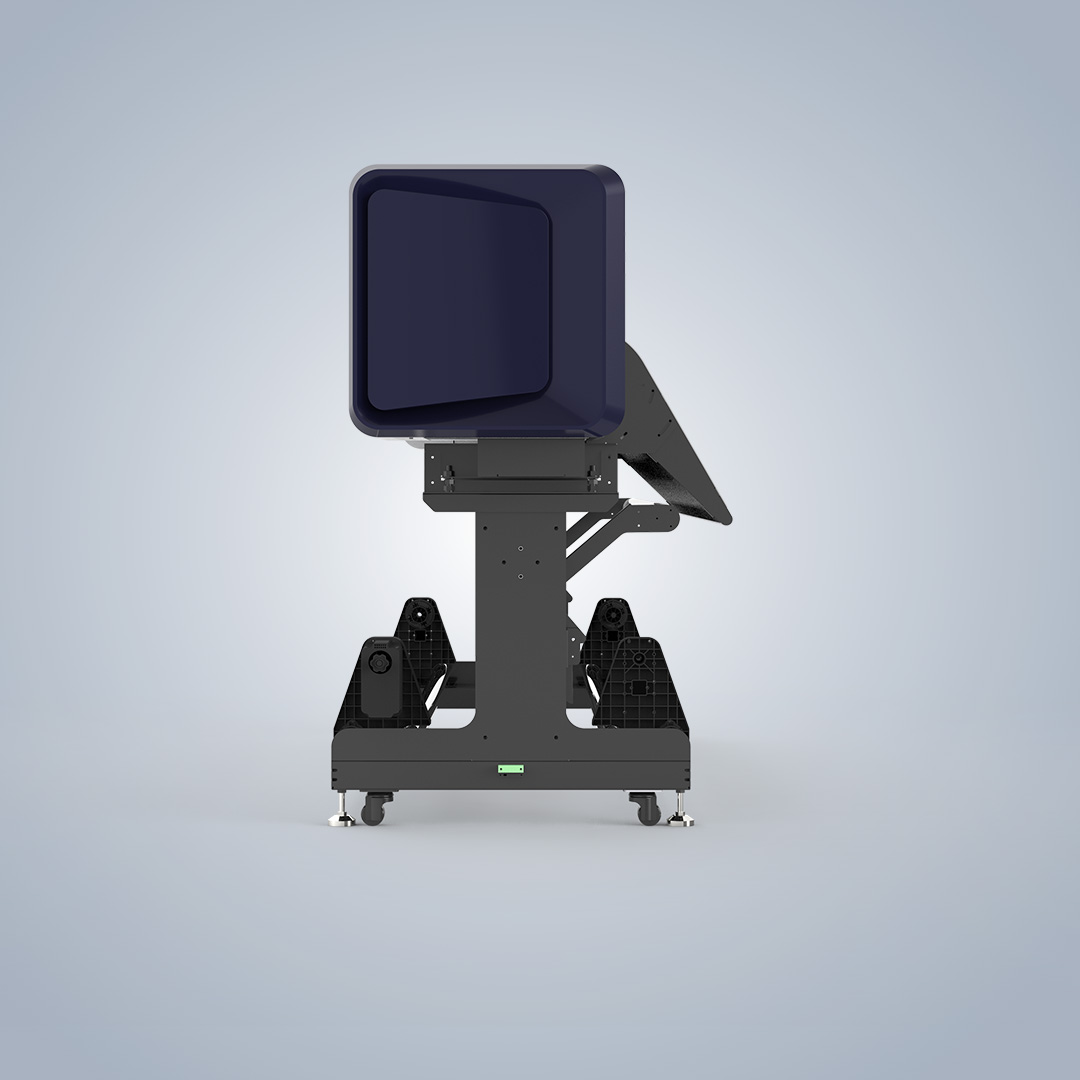
Test the exact substrate that will be used for the order. The NC-UV1600's 1.6-meter printing width is intended for common advertising applications such as lightboxes, KT boards, roll-up banners, photo paper, vehicle wraps, and floor graphics. The same media type should be used for both approval and production because coating, thickness, flexibility, and surface texture can affect ink adhesion and image appearance.
Measure the printed length and width, confirm edge positioning, and inspect the image coverage. A sample may look correct while a long run reveals dimensional drift, skewing, edge movement, or inconsistent registration. These issues should be checked before the complete batch is produced.
Lightbox preview versus finished result
Lightbox projects require an additional visual check because the backlit appearance can differ from the front-lit viewing result. The system combines high-brightness LED lighting with a semi-transparent cover, allowing operators to preview the lightbox effect while printing. Compare this live preview with the completed lightbox after installation or illumination.
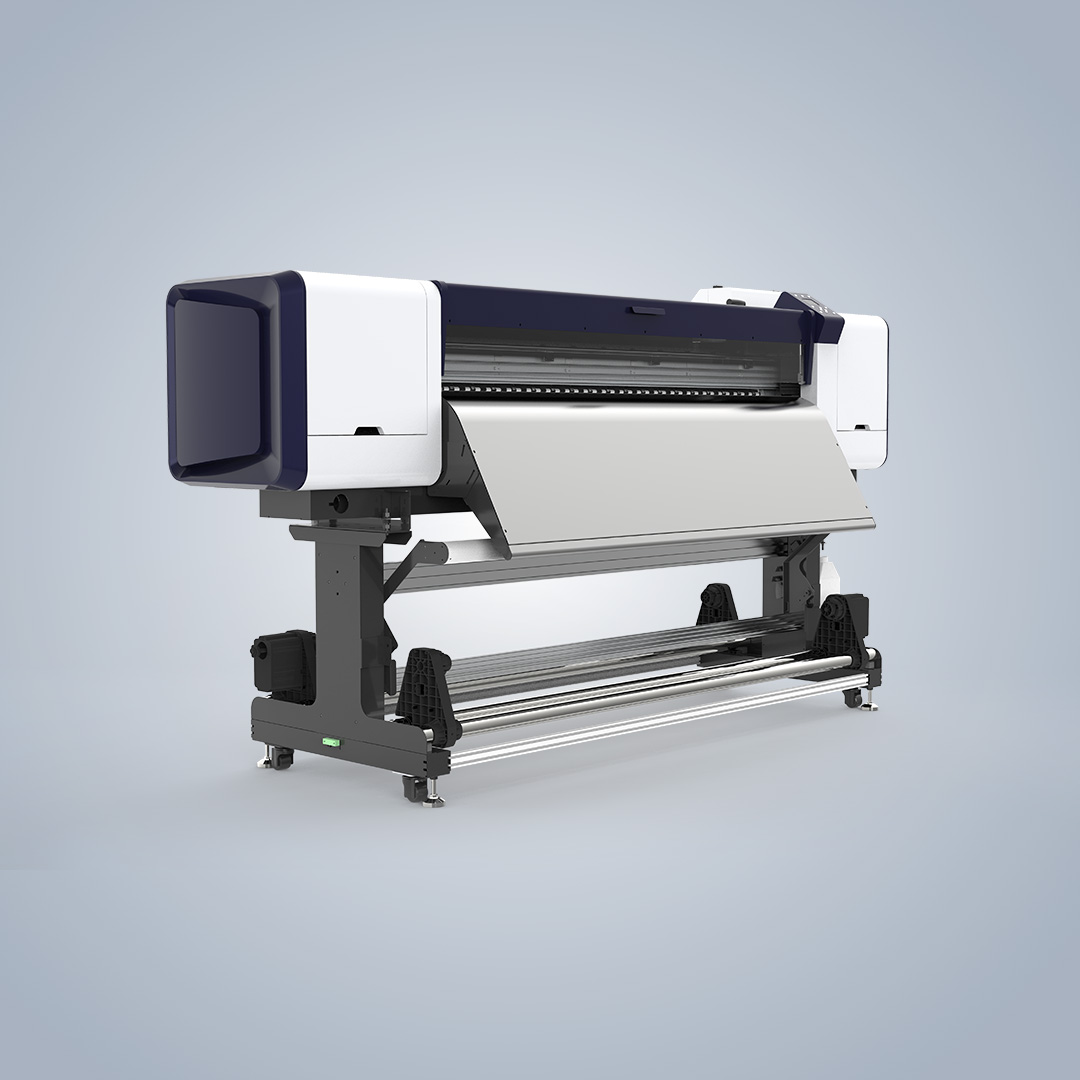
If the preview and final display do not match, review the artwork, ink density, media characteristics, lighting conditions, and curing settings. Repeated preview-to-output checks can identify a problem early, before it affects a larger quantity of finished signs.
Check Stability During Extended Operation
Bulk verification must evaluate more than print appearance. Run the printer long enough to observe media movement, alignment, output dimensions, and visible ink misting. A short sample run may conceal problems that become apparent only after continuous feeding and printing.
The NC-UV1600 uses an integrated feed-roller mold with software-controlled pressure adjustment. This design is intended to support stable feeding and help reduce static-related ink misting. During testing, record the roller-pressure setting, substrate behavior, alignment, and any change in image quality from the beginning to the end of the run.
Also inspect the finished material for scratches, shifting, uneven curing, ink buildup, or changes in surface gloss. If the production result differs from the sample, first confirm that the media loading method, environmental conditions, pressure settings, and maintenance status are consistent.
Include Cost and Throughput in the Approval Process
A sample can meet visual expectations but still be unsuitable for commercial production if the cost or output rate is inconsistent with the order. Use the printer software's ink-consumption calculation to establish a reference for the approved artwork and print settings. Compare that estimate with actual bulk usage over several jobs.
Evaluate ink consumption together with printing speed. The NC-UV1600 is specified for large-volume and urgent advertising orders, but actual throughput will depend on resolution, pass count, artwork coverage, substrate handling, curing requirements, and operator workflow. Record the time required to prepare, print, cure, and handle each batch so that the production plan reflects the complete process rather than printhead speed alone.
The operator should also confirm that lighting, heating, and printing functions can be managed consistently. Clear operating procedures reduce the chance that manual adjustments will create a gap between the approved proof and later output.
Recommended Sample-to-Bulk Comparison Table
| Evaluation item | Approved sample | Bulk production verification |
|---|---|---|
| Image quality | Review fine detail, gradients, contrast, saturation, and highlight and shadow definition. | Compare those characteristics across several consecutive prints and different sections of the batch. |
| Media and size | Use the final substrate and confirm image placement, coverage, and finished dimensions. | Measure repeated outputs and monitor feeding, alignment, and dimensional stability throughout the run. |
| Lightbox appearance | Compare the illuminated preview with the completed backlit sample. | Repeat the preview-to-finished-output check during ongoing production. |
| Ink and efficiency | Save the software-based ink estimate for the approved artwork and settings. | Compare the estimate with actual usage, cycle time, and the quantity produced per hour. |
| Feeding performance | Confirm roller pressure, material alignment, and the absence of obvious ink misting. | Observe pressure settings, feeding consistency, misting, and output quality during a longer run. |
Applications and Production Considerations
The NC-UV1600 is positioned for advertising work involving wide-format displays, vehicle graphics, retail decoration, and other customized visual products. Its stated material range covers lightboxes, KT boards, roll-up banners, photo paper, vehicle wraps, and floor graphics. Packaging is also identified as an application for Nocai digital inkjet solutions, where short-run customization, fast delivery, and printing on diverse substrates are important.
Before approving production, define acceptance limits for color, dimensions, registration, surface finish, and visible defects. Keep a signed or digitally archived reference sample, the related artwork file, print settings, media details, and ink-consumption record. This documentation makes it easier to determine whether a later variation comes from the machine, the material, the file, or the production environment.
Frequently Asked Questions
What should be included in a UV printer sample approval?
The approval should cover the 8-color image result, detail, tonal range, saturation, contrast, substrate compatibility, 1.6-meter working width, finished dimensions, lightbox appearance, feeding behavior, and calculated ink consumption.
How many prints are needed to confirm production consistency?
There is no universal number for every job, but one print is insufficient for a reliable decision. Repeat the test using the final media and settings, then inspect consecutive outputs and include a longer run that reflects actual production conditions.
What should be done when bulk prints do not match the sample?
Check the artwork version, color settings, media batch, loading method, roller pressure, curing conditions, environmental factors, and maintenance status. Re-run a controlled comparison before changing the production specification.
What support is available if a production issue remains?
Listed support options include online assistance, video calls, remote control, user manuals, installation videos, and spare-part replacement videos. The company also describes 100% inspection and a comprehensive after-sales service system.
Conclusion
The most reliable way to detect a gap between UV flatbed printer samples and bulk production is to turn the approved sample into a controlled reference. Keep the media, artwork, dimensions, color configuration, and operating conditions consistent, then compare repeated prints for detail, color, feeding, size, lightbox performance, speed, and ink consumption.
The NC-UV1600 is listed with a minimum order quantity of one unit, a delivery period of 5–7 days, aging testing, and 100% inspection. It is also marketed to export markets worldwide. For technical guidance or production support, contact nc05@gznuocai.com.
About Guangzhou Nuocai Digital Products Co., Ltd.
Guangzhou Nuocai Digital Products Co., Ltd. is a high-tech company specializing in digital inkjet printing technology research and development, printer design, manufacturing, sales, and after-sales service. Founded in 2019, the company reports 238 employees, more than 50 professional R&D engineers and designers, and five production lines.
Its main product categories include UV printers, UVDTF printers, and rotary printers. The company lists ISO and CE certifications related to digital printer design and production and identifies cooperation with customers and agents in several industries and international markets.
REPORT